Monitor every domain you host - without the duplicate alerts or the shared login.
SurfaceDiff is built for the reality of shared hosting: dozens or hundreds of client domains on the same handful of servers. One real change gets one incident, pricing rewards consolidation instead of punishing it, and each client can get a login that shows only their own domain.
Running 50+ domains, or want to talk specifics before applying? Book a call. Running a larger managed cloud, MSP or data centre operation? See the guided assessment for managed infrastructure providers.
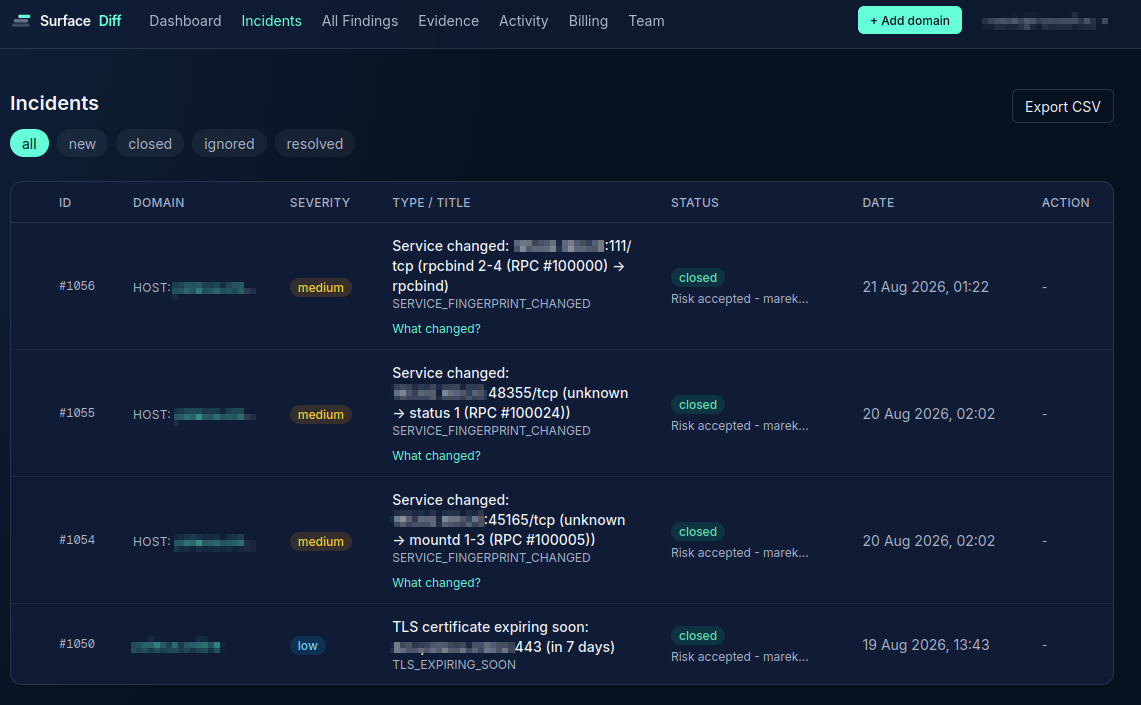
“We run SurfaceDiff on our own hosting infrastructure - for example yourpdf.store, and others. It's already caught things we'd have missed: a shared-host service fingerprint flapping that turned out to be a real config issue, and a scanning gap where our own fail2ban was blocking the very checks we rely on. If it works well enough for us to trust it on our own servers, it'll work for yours.”
Mark, Founder
What running attack-surface monitoring for many clients actually looks like today
One shared server, fifty duplicate alerts
A port opens on a server hosting 50 client domains. Treat each domain independently and that's 50 incidents, 50 emails, and 50 things to review - for one real change.
No safe way to let a client see their own status
Your customer asks "is my site okay?" and the honest answer today is a screenshot, or a login to a dashboard that also shows every other client you host.
Per-domain tools price you out at scale
Most attack-surface tools charge full price per domain, regardless of how many share the same box - fine at 5 domains, unworkable at 200.
How SurfaceDiff handles it
One incident per real change, not per domain
SurfaceDiff recognizes when domains you monitor share the same server. A port change on that server becomes exactly one incident and one alert - not one per domain sitting on it.
Shared servers cost less, not more
Pricing is token-based: every domain is 1 token per scan, every distinct server your domains resolve to is 1 token per scan too - counted once no matter how many domains share it. Fifty domains on one shared server is 51 tokens per scan, not 100 - about 1,530 tokens/month at a daily scan, which is Growth ($49/month) plus one small top-up, around $65/month total. See the pricing page for the exact math.
Give a client a login that shows only their domain
Invite a teammate or a client as a Viewer and scope them to exactly the domain(s) they should see - one, a handful, or your whole portfolio. They get real visibility into their own security status; the rest of your book of business stays yours. Pair that with a signed Evidence Pack (1 token) when a client needs a point-in-time deliverable for their own compliance or audit trail - verifiable in their browser, no account needed on their end.
We only monitor what you've verified
SurfaceDiff never auto-discovers or scans a domain your account hasn't explicitly added and verified ownership of - even if it happens to share a server with one you already monitor. No risk of scanning something you don't have a hosting or management relationship with.
A typical setup
You add each client domain you manage. SurfaceDiff figures out which ones share a server and treats that server as one entity for both alerting and billing. Need a client to see their own status? Invite them as a Viewer scoped to just their domain - they see their history and current findings, nothing else in your account.
Verifying a domain doesn't require DNS access either - a TXT record, an uploaded file, or a meta tag on the page all work, so it still works when a client's DNS sits with a different registrar than the one hosting the site.
See exactly how token pricing works for a shared-server setup on the pricing page, or read about how account and domain isolation work.
Ready to see it on your own servers?
Add a domain and get a real baseline in minutes - no need to migrate anything first.
Create your account